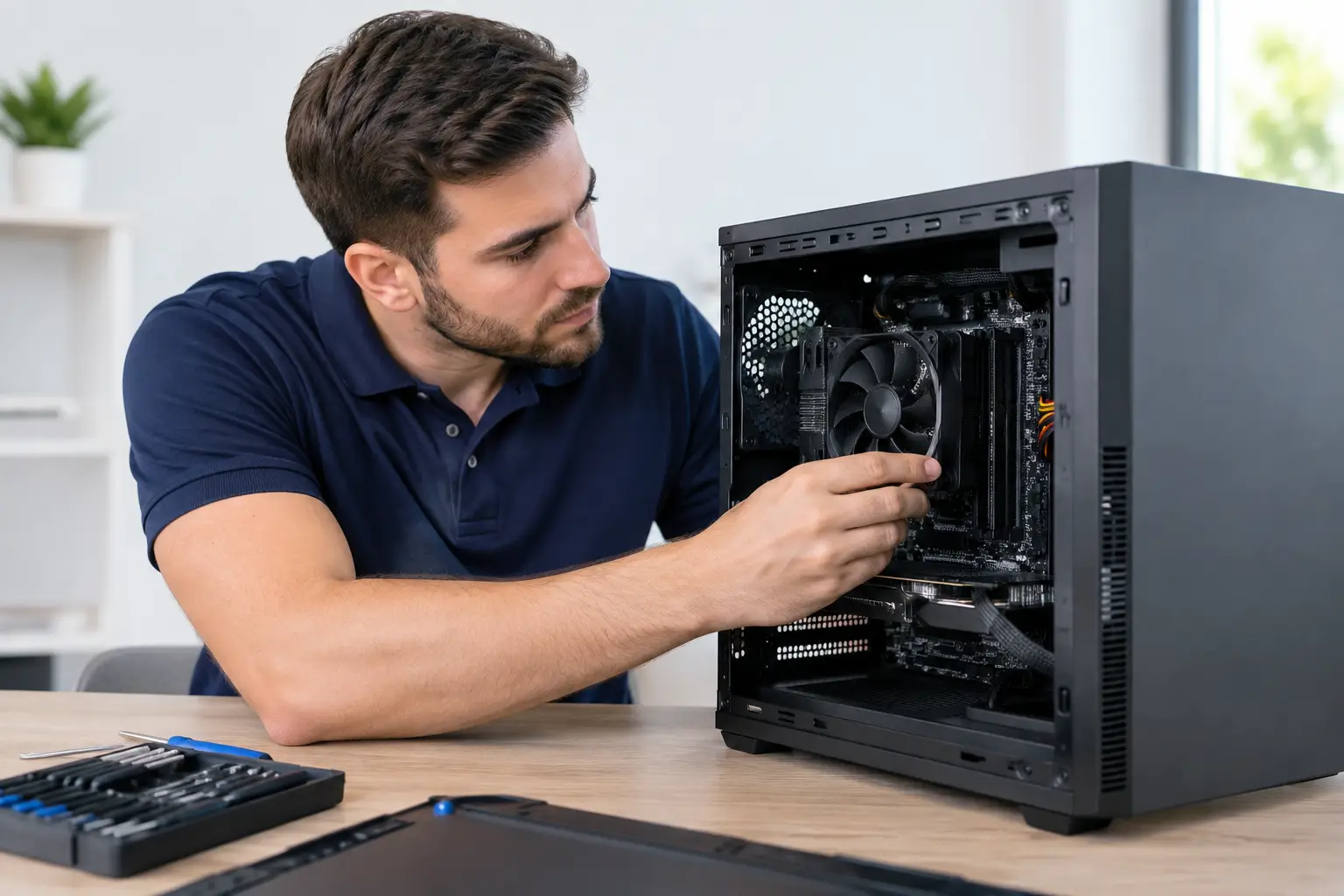
Virus Removal Service for Home PC Explained

One minute your PC is working normally. The next, it is painfully slow, your browser is opening strange pages, pop-ups keep appearing, or you cannot log in to important accounts without worrying something has been stolen. When that happens, a virus removal service for home PC problems is not just about tidying up a machine. It is about getting your device, your files and your peace of mind back under control.

For many home users, the hardest part is knowing whether they are dealing with an actual virus, a different type of malware, or simply a computer that has become cluttered and unstable over time. The symptoms often overlap. A laptop that freezes, overheats or takes ten minutes to start might be infected, but it might also need software repairs, storage clean-up or a hardware upgrade. That is why proper diagnosis matters just as much as removal.

What a virus removal service for home PC users should actually do

A good service should start with identifying the problem rather than making assumptions. Not every infection behaves the same way. Some malware sits quietly in the background, harvesting passwords or banking details. Some hijack your browser, flood the screen with warnings, or try to trick you into paying for fake security software. Others can lock files, disable antivirus tools or stop Windows from working properly.

Professional removal means checking how deep the issue goes. That usually includes scanning for malicious files, reviewing suspicious start-up items, removing harmful browser extensions, checking for unauthorised remote access tools, and making sure security settings have not been changed behind the scenes. If the infection has damaged system files or affected updates, the job may also involve repairing Windows so the machine is stable again.

That last part is where many DIY attempts fall short. It is one thing to run a free scanner. It is another to know whether the threat has really gone, whether your email credentials need changing, or whether the attacker has left a back door behind.

Signs you should get expert help quickly

Sometimes the warning signs are obvious. You click a file and nothing seems to happen, then your desktop background changes and a payment demand appears. In that case, speed matters. Disconnecting the PC from the internet and getting help straight away is sensible.

More often, the signs are less dramatic. Your browser homepage keeps changing. Search results redirect to odd websites. Programmes you never installed start loading at startup. Friends receive strange messages from your email or social accounts. Your antivirus is disabled and will not turn back on. These are all signs that the issue may be more than a simple glitch.

There is also the question of what is at risk. If the computer is used for online banking, shopping, schoolwork, family photos or homeworking, the cost of waiting can be higher than the cost of getting it checked. Malware does not need to destroy a computer to cause damage. Sometimes the real harm is stolen information or compromised accounts.

When remote support works – and when it does not

For some infections, remote assistance can be a fast and effective option. If the PC still starts, connects to the internet and allows support software to run safely, an engineer may be able to assess the problem, remove obvious threats and restore settings without a home visit. That can save time, especially when you need the machine back up and running the same day.

But remote support is not always the right answer. If the computer will not boot, keeps crashing, has severe ransomware damage, or appears to have multiple deep-rooted infections, hands-on work is often the safer route. The same applies if the user is uncomfortable with remote sessions or wants someone to check the wider setup in person, including printers, Wi-Fi security or backup arrangements.

A dependable provider should be honest about that. The aim is not to force every issue into one support model. It is to choose the quickest, safest fix for the situation in front of you.

What happens after the malware is removed

Removing the infection is only part of the job. A proper service should also help reduce the chance of it happening again. That might include applying missed updates, checking that antivirus protection is active, removing unwanted software, securing web browsers and reviewing passwords for key accounts.

If the infection is linked to phishing, the next steps may involve more than the PC itself. You may need to change your email password, review online banking access, sign out of other devices, or enable two-factor authentication on important accounts. If children use the computer, parental controls or user account permissions may also need attention.

There is a trade-off here. Some people want the quickest possible clean-up and nothing more. Others would rather use the incident as a chance to make the whole setup safer. Neither approach is wrong, but the right provider will explain the risks clearly so you can make an informed decision.

Should you try to remove a virus yourself?

It depends on the symptoms, your confidence and what is stored on the device. If the machine is still usable and the issue appears minor, basic steps such as disconnecting from the internet, running a reputable antivirus scan and uninstalling suspicious software can be worth trying. For some low-level adware problems, that may be enough.

The risk is that malware often hides in places ordinary users do not think to check. You can remove a visible symptom and still leave the cause behind. Worse, some infections are triggered by the very act of clicking the wrong pop-up or downloading the wrong “clean-up” tool. People trying to save money sometimes end up making the damage broader and harder to reverse.

That is especially true when the PC contains business emails, tax records, customer files or shared family accounts. At that point, expert help is not just a convenience. It is part of protecting sensitive information properly.

How to choose a home PC virus removal service

The best choice is usually a provider that combines technical skill with plain speaking. You want someone who can explain what they found, what they removed and what still needs attention, without burying you in jargon.

Look for a service that is clear on response times, costs and what happens if the issue turns out not to be malware after all. Transparency matters. If a company offers a no fix, no fee approach for residential support, that can provide useful reassurance, particularly when you are already dealing with stress and uncertainty.

It also helps to choose a team that can do more than run scans. Virus infections are often tied to broader problems such as ageing hardware, failed updates, weak passwords or poor backup habits. A provider with wider support experience can spot those issues and fix them before they turn into the next emergency.

For home users in the North East, a company such as Andromeda Solutions can be a practical choice because the support model is built around fast, approachable help rather than confusing technical hand-offs. That matters when you need answers quickly and want confidence that the job has been done properly.

Preventing the next infection without making life difficult

The safest PC is not the one loaded with endless security prompts. It is the one set up sensibly and maintained properly. That means keeping Windows and software updated, using reputable security tools, avoiding suspicious attachments, and having backups that are actually checked from time to time.

It also means being realistic. No setup is perfect. Even careful users can be caught by a convincing phishing email or a compromised download. Good security at home is about reducing risk and recovering quickly, not pretending risk can be removed entirely.

If your PC is behaving oddly, the main thing is not to ignore it or hope it clears up on its own. Early action usually means a simpler fix, less disruption and a much better chance of protecting your data before the problem spreads. When your computer holds the details of daily life, from family photos to bank logins, getting the right help is not overreacting. It is common sense.

Same Day Computer Repair at Home Explained

A computer failure rarely arrives at a convenient time. It happens when you need to send an invoice, join a video call, print schoolwork, or recover photos you thought were safe. That is exactly why same day computer repair at home matters. It removes the hassle of unplugging everything, carrying equipment to a shop, and waiting days to find out whether the issue is simple or serious.

For many households and home-based workers, speed is only part of the value. The bigger advantage is having the problem diagnosed in the place where it actually happens. Your Wi-Fi, printer, router, email setup, and connected devices all play a part. A fault that looks like a “broken PC” can turn out to be a network problem, a software conflict, a malware issue, or a failing hard drive. Seeing the setup in person often gets to the answer faster.

What same day computer repair at home really covers

A same-day call-out is not just for completely dead machines. In practice, it covers a wide range of faults that stop you working normally or make a computer unreliable enough that you no longer trust it.

That can include a PC that will not boot, a laptop running painfully slowly, repeated crashing, suspicious pop-ups, email issues, printer problems, broken software, Windows update failures, and internet problems that seem tied to one device. It can also include upgrade work, such as replacing a tired hard drive with a faster SSD, adding memory, or helping an older system perform properly again.

For home users, the main benefit is convenience. For small businesses and people working from home, it is continuity. Every hour spent wrestling with a machine is time not spent serving customers, answering enquiries, or getting actual work done.

Why home visits are often faster than workshop repairs

There is still a place for bench repairs, especially when a device needs specialist parts or deeper hardware work. But many faults are resolved more quickly on-site because the engineer can see the full picture straight away.

A workshop can test the computer. A home visit can test the computer, broadband connection, wireless signal, attached devices, account access, security software, and user setup all at once. That saves a lot of back-and-forth. It also avoids the common situation where a machine behaves perfectly in the shop, then fails again when it returns home and reconnects to the same network, peripherals, and software environment.

There is also a practical point people often overlook. Moving a desktop PC, monitor, cables, and accessories is awkward. Even with a laptop, the charger, docking station, printer, and home network may all be part of the issue. Same day computer repair at home keeps the diagnosis grounded in real use, not theory.

Which problems can usually be fixed the same day

A surprising number of issues can be sorted during the first visit, provided the fault does not depend on uncommon parts. Software problems are often the quickest. That includes virus and malware removal, startup issues, system clean-ups, update problems, driver conflicts, email setup, and general performance troubleshooting.

Connectivity faults can also be good candidates for same-day repair. If one room has poor Wi-Fi, a printer has stopped talking to the computer, or a laptop keeps dropping off the network, an engineer can usually test and adjust things there and then.

Some hardware jobs are straightforward as well. Replacing memory, fitting storage, swapping a power supply in a desktop, or installing a new drive can often be done quickly if compatible parts are available. The main variable is whether the device uses standard components or something more specialised.

Data recovery is where expectations need to stay realistic. If files are inaccessible because of software corruption or an operating system problem, there may be a same-day route. If a drive is physically failing, the priority shifts to protecting data and deciding the safest next step. Fast action helps, but not every recovery should be rushed.

When same-day service may not mean same-day completion

Honest support matters more than overpromising. A same-day appointment means quick response and immediate diagnosis, but not every repair can be fully completed in a single visit.

If a motherboard has failed, a laptop screen is cracked, or a device needs a specific replacement part, the engineer may need to order components. In those cases, the value of the call-out is still significant. You get a clear diagnosis, a proper explanation of costs, and a plan rather than guesswork.

The same applies to older machines. Sometimes the fault can be fixed, but the better question is whether it should be. Spending money on an ageing PC that struggles with modern software may not be sensible when an upgrade would be more reliable and cost-effective. Good support should say so plainly.

What to expect from a professional same day repair visit

The best experience is straightforward. You explain the symptoms, book a visit, and get a realistic arrival window. Once on-site, the engineer checks the problem, confirms what is causing it, and talks you through the options in plain English.

That matters because most people do not want an IT lecture. They want to know three things: what has gone wrong, whether their data is safe, and how quickly normal service can be restored.

A professional engineer should also think beyond the immediate fix. If malware is removed, there should be advice on how it got in. If the machine is slow because the drive is close to failure, that should be flagged before it turns into data loss. If a home office setup is unstable, the answer may involve more than the computer itself.

For residential customers, a no fix, no fee approach can make a real difference. It shows confidence and keeps the process fair. You are not paying for technical theatre. You are paying for results, honest diagnosis, and useful action.

Choosing a provider for same day computer repair at home

Not all support services are equal, and speed alone should not be the deciding factor. You also want trust, clarity, and breadth of expertise.

A good provider should be comfortable helping both non-technical home users and businesses that need reliable IT support. That range matters because the same person who needs a virus removed on a home laptop today may need Microsoft 365 support, network advice, or cyber security guidance tomorrow.

Look for a company that explains things clearly, offers practical next steps, and has visible proof of service quality. Formal certifications, strong customer feedback, and a clear service promise all help. So does the ability to support a wider setup rather than only the faulty device in isolation.

For readers in the North East, local response can be especially valuable when speed matters, although many providers can support customers more widely depending on the type of issue and the level of service required.

Is at-home repair better than remote support?

It depends on the fault. Remote support is often ideal for software configuration, user guidance, email problems, and some system checks. It is quick, efficient, and can solve simple issues without a visit.

But remote support has limits. If the computer will not connect, will not start, has a hardware fault, or is affected by a home network issue that needs physical testing, on-site help is usually the better route. The same applies when someone simply wants the reassurance of having an expert present, especially after a security scare or data concern.

The strongest support companies do both. They use remote tools where sensible and send an engineer when the problem needs hands-on attention. That approach is faster and more cost-effective than forcing every issue into the same model.

The real value is less downtime and less stress

People often focus on the repair itself, but what they are really buying is a quicker return to normal. They want the computer working, the printer responding, the Wi-Fi stable, the files accessible, and the worry gone.

That is why responsive service matters so much. A same-day visit can stop a small issue becoming a major one. It can catch a failing drive before data disappears, remove malware before it spreads, or restore a work machine before deadlines start slipping.

And for anyone who has ever spent half a day searching forums, trying random fixes, and getting nowhere, there is another benefit that should not be underestimated. Having a knowledgeable person sort the problem properly is often cheaper than the time, frustration, and avoidable mistakes that come from trying to manage it alone.

If your computer has become a barrier instead of a tool, the smartest move is usually the simplest one: get it looked at quickly, in the place where you actually use it, and by someone who can tell you the truth about whether it needs a repair, an upgrade, or a fresh start.

Choosing an IT support company Middlesbrough

When your systems go down at 9am on a Monday, the phrase IT support suddenly stops sounding like a background service and starts looking like the difference between a normal day and a very expensive one. That is why choosing the right IT support company Middlesbrough businesses and home users can rely on is less about buying a package and more about finding a team that responds quickly, communicates clearly and fixes problems properly.

In Middlesbrough, that choice often comes down to more than technical skill alone. You need a provider that understands how local organisations work, what smaller teams actually need, and why home users want straightforward help without jargon. Good support should feel calm, capable and easy to reach, whether you are running an office, managing a school or simply trying to get a family laptop working again.

What a good IT support company in Middlesbrough should actually do

A lot of providers talk about support as if it begins and ends with a helpdesk. In practice, reliable IT support is much broader. For businesses, it should cover day-to-day troubleshooting, user support, network stability, server management, cyber security, cloud systems, Microsoft 365 and communications tools such as VoIP. For home users, it often means repairs, virus removal, upgrades, device setup and honest advice on whether a machine is worth fixing.

The key difference is not the number of services on a page. It is whether the provider can turn those services into practical results. That might mean preventing downtime before it hits your team, spotting security issues early, or giving a home user a same-day answer instead of passing them from one person to another.

A dependable IT partner should also adapt its support to the customer. A growing business with remote staff has very different needs from a local office with ten desks and an on-site server. In the same way, a home user dealing with a hacked email account needs a very different response from someone replacing an ageing hard drive. One-size-fits-all support tends to look tidy on paper and frustrating in real life.

Speed matters, but so does how support is delivered

Fast response times are one of the first things people ask about, and rightly so. If a business loses access to files, email or phones, every hour has a cost. If a home user cannot get online, work, banking and everyday tasks can grind to a halt. But speed on its own is not enough if it leads to rushed fixes or poor communication.

A good IT support company Middlesbrough customers can trust will be responsive without being chaotic. You should know who to contact, what happens next and whether the issue is being worked on. For businesses, this often means a proper support process with clear escalation and realistic timescales. For home users, it means not being left wondering whether anybody is actually coming back to them.

There is also a trade-off here. Some providers promise very low prices by limiting what is included, stretching engineer availability or charging extra every time a problem falls outside a narrow scope. That can work if your needs are minimal and your systems are simple. It tends to work less well when the issue is urgent, recurring or tied to wider infrastructure.

Why local knowledge still has real value

Remote support can solve a lot, and for many problems it is the fastest option. Still, local presence matters more than some national providers admit. If your office needs on-site help with network hardware, cabling, phone systems or a failed workstation, being able to send someone out quickly is a real advantage. The same goes for home users who are not comfortable dismantling a PC or talking through faults over the phone.

In Middlesbrough and across the North East, many organisations prefer dealing with a provider that combines remote capability with boots-on-the-ground support. It creates accountability. It also means the people supporting you are more likely to understand your operating environment, whether that is a busy office, a small warehouse, a charity, a school or a household with one computer that suddenly seems to control everything.

That local element should not come at the expense of broader capability, though. A provider can be regionally strong and still support cloud platforms, cyber security, remote workers and multi-site businesses across the UK. In fact, that balance is often ideal. You get accessibility and familiarity, backed by systems and expertise that scale.

Security is no longer a specialist add-on

For many businesses, cyber security used to sit in a separate category from IT support. That line has largely gone. If your provider manages your devices, users, networks and software, they are already part of your security posture whether they label it that way or not.

That is why it is worth asking harder questions. Are updates and patching handled properly? Is Microsoft 365 configured securely? Are backups monitored and tested? What happens if a member of staff clicks on a phishing email? Does the provider give practical advice, or only react after something goes wrong?

For home users, security still matters, just in a different form. Virus removal, scam protection, safe setup of new devices and help recovering compromised accounts are no longer unusual requests. A good support company should be able to explain risks in plain English and fix the problem without making the customer feel foolish.

Formal credentials can help here, especially for business customers. Certifications such as ISO 9001 and ISO 27001 suggest that a provider takes quality and information security seriously. They are not a guarantee of perfect service, but they do show that processes, controls and accountability are in place. That matters when you are trusting someone with business continuity and sensitive data.

The right support model depends on who you are

Not every customer should buy support in the same way. For SMEs, a managed support agreement often makes sense because it provides consistency, predictable costs and ongoing oversight. Instead of waiting for things to break, the provider helps maintain systems, support users and reduce risk over time.

That said, there are businesses that prefer ad-hoc support, especially in the early stages or when their internal needs are light. The downside is that reactive support can become more expensive and more disruptive if issues build up. What looks cheaper month to month can cost more when downtime, repeated faults and poor planning are added in.

For home users, flexibility is usually more important than a contract. If the issue is a broken laptop, malware infection or Windows upgrade, people generally want a straightforward fix, a fair price and honesty about whether the device is worth saving. Promises like no fix, no fee can make a real difference because they reduce the risk of paying for guesswork.

What to look for before you choose

The best providers are usually not the ones making the biggest claims. They are the ones that explain their service clearly and back it up with evidence. Look at how they talk about response times, what support channels they offer and whether they cover the services you are likely to need in six or twelve months, not just today.

Customer feedback matters too, especially when it reflects patterns rather than one-off praise. Are clients repeatedly mentioning fast responses, friendly engineers and problems being resolved properly? Do business customers talk about reliability and continuity? Do home users say they felt looked after rather than talked down to? Those details tell you far more than buzzwords ever will.

It is also worth checking how broad the provider’s capability really is. If one company can support your PCs, networks, Microsoft 365, cyber security and phone systems, that can reduce finger-pointing when issues overlap. There are times when specialist suppliers are useful, but most small and medium-sized organisations benefit from having one accountable support partner who can see the whole picture.

For customers in and around Middlesbrough, Andromeda Solutions is one example of this approach in practice, supporting both businesses and home users with responsive service, broad technical coverage and a strong regional presence backed by recognised quality and security standards.

A support partner should make technology feel easier

The best test of any IT provider is simple. Do they reduce stress, or add to it? Good support should make your systems more reliable, your staff more productive and your decisions easier. It should give home users confidence that help is available without a lecture attached.

That does not mean every issue disappears overnight. Some problems take investigation. Some upgrades need planning. Some older devices are simply at the end of the road. What matters is having a support company that is honest about the options, clear about the trade-offs and focused on getting you to the right outcome rather than the quickest sale.

If you are weighing up providers, look past the sales language and pay attention to how they would handle your worst day, not just your easiest one. That is usually where the right choice becomes obvious.

Managed IT support for SMEs: what matters

When a member of staff cannot log in, emails stop syncing, or a broadband fault knocks out your phones, the issue is rarely just technical. It slows sales, disrupts service, and pulls managers away from the work they should be doing. That is why managed IT support for SMEs is not simply about fixing faults. It is about keeping the business moving, protecting data, and giving smaller organisations access to dependable expertise without building a large in-house team.

For most SMEs, the pressure is familiar. You need systems that work, security that holds up, and support that responds quickly when something goes wrong. At the same time, budgets are tighter than those of larger firms, and internal resource is often limited. One person may be wearing three hats already. IT support has to be practical, proportionate, and easy to rely on.

What managed IT support for SMEs actually covers

Managed IT support usually means an ongoing service rather than ad hoc help when things break. The provider monitors systems, handles user support, maintains devices and servers, helps manage Microsoft 365 and cloud tools, and supports the wider network that keeps the business connected. Depending on the agreement, that may also include cybersecurity, backup checks, patching, VoIP telephony, hardware advice, and help with upgrades or projects.

The difference matters. Break-fix support waits for failure, then reacts. A managed service is designed to prevent avoidable problems, spot issues early, and keep routine maintenance from being pushed down the list. For an SME, that often means less downtime and fewer unpleasant surprises.

That does not mean every business needs the same level of cover. A ten-person office with cloud-based systems will have different needs from a multi-site business with on-premise servers, remote workers, and compliance obligations. Good support should reflect that. If a provider tries to force every client into the same package, it is worth asking how flexible the service really is.

Why SMEs benefit from managed support

The main advantage is consistency. Instead of relying on whoever in the office is “good with computers”, you have a defined support structure. Staff know where to go for help. Systems are checked regularly. Updates are not left indefinitely. Security controls are reviewed instead of assumed.

There is also the question of cost control. Hiring an internal IT team is expensive, and for many SMEs it is hard to justify full-time coverage across support, infrastructure, security, cloud services, and communications. Managed support gives access to a broader skill set for a predictable monthly cost. That predictability is useful when planning budgets, especially if your business is growing.

Then there is resilience. Cyber threats do not only target large enterprises. In many cases, smaller businesses are more exposed because they have fewer controls in place and less time to manage them. Ransomware, phishing, weak passwords, poor patching, and untested backups can turn a minor weakness into a major outage. A support partner should help reduce that risk in ways that fit the size and reality of the business.

The services that make the biggest day-to-day difference

Responsive helpdesk support is still the foundation. Staff need to speak to someone who can resolve login issues, printer problems, email faults, software errors, and access problems without turning every ticket into a drawn-out process. Fast response is not just a nice extra. It protects productivity.

Behind that front line, monitoring and maintenance are what keep support from becoming purely reactive. Device health checks, patch management, antivirus oversight, backup monitoring, and server maintenance all reduce the chance of avoidable disruption. These are not glamorous tasks, but they make a real difference.

For many SMEs, Microsoft 365 support is also central. Problems with Exchange, Teams, SharePoint, OneDrive permissions, or user account management can quickly affect the whole office. The same applies to cloud migration and hybrid working setups. Businesses often need a provider that can support modern cloud tools while still dealing with legacy systems that have not disappeared yet.

Connectivity and telephony deserve more attention than they sometimes get. If your internet connection is unstable or your phone system is unreliable, customer service suffers straight away. A capable provider should look beyond PCs and passwords to the wider environment the business depends on.

How to judge a provider properly

Price matters, but it should not be the only test. Cheap support can become expensive if response times are poor, issues are repeatedly reopened, or advice is limited to quick fixes rather than long-term improvement.

A better starting point is service fit. Ask what is included, how support is delivered, and what happens when an urgent issue affects multiple users. Find out whether monitoring is part of the service, whether cybersecurity support is built in or bolted on, and how they handle backups, updates, and user onboarding. If the answers are vague, the service may be too.

Communication matters just as much as technical ability. SMEs do not need jargon-heavy reports that tell them little. They need honest advice, clear priorities, and support people who explain problems in plain English. A good provider should be approachable when staff need help and credible when directors need strategic guidance.

Accreditations can also give useful reassurance, especially where security and process quality are concerned. They are not the whole story, but they do show a level of commitment to doing things properly. If you are trusting a provider with business-critical systems and sensitive data, that should count for something.

Where managed IT support for SMEs can go wrong

Not every managed service is as proactive as it sounds. Some providers talk about strategic support but focus mainly on ticket volume. Others promise broad coverage yet rely heavily on exclusions, extra charges, or long waits for anything beyond basic helpdesk work.

There is also a trade-off between standardisation and flexibility. Standard tools and processes can improve support quality, but a rigid provider may struggle with the practical needs of a growing SME. If your business is changing quickly, opening new sites, adopting cloud systems, or replacing old hardware in stages, you need support that can adapt.

Another common issue is weak onboarding. Even a strong provider can struggle to deliver value if the handover is rushed, documentation is incomplete, or legacy problems are ignored at the start. The first few months of any support relationship matter. They shape how well the provider understands your systems and how quickly they can respond when pressure is on.

When outsourced support makes more sense than in-house

For many SMEs, outsourced support is the sensible middle ground between doing too little and overspending on internal resource. It works particularly well where the business needs reliable cover across multiple areas but does not have enough demand to justify specialist hires.

That said, some firms benefit from a mixed model. A larger SME may keep an internal IT manager or operations lead while using a managed provider for helpdesk, security, infrastructure, and escalation support. That can be effective because it combines internal knowledge with wider technical depth. It depends on the size of the business, the complexity of the systems, and how much internal ownership you want to retain.

The right answer is rarely ideological. It is about what gives the business the best continuity, the clearest accountability, and the least disruption.

What good support looks like in practice

Good support is rarely dramatic. It looks like new starters being set up properly on day one. It looks like suspicious emails being flagged before they do damage. It looks like backups that have actually been checked, patching that happens on time, and staff getting quick answers without chasing repeatedly.

It also looks like sensible advice. Sometimes the right recommendation is a system upgrade or security improvement. Sometimes it is keeping a stable setup in place for longer because the disruption of change would outweigh the benefit right now. A dependable provider should be able to tell the difference.

For UK SMEs that want responsive help, straightforward communication, and a provider able to support day-to-day operations as well as wider infrastructure, a service-led partner such as Andromeda Solutions can make that burden far easier to manage.

Choosing managed IT support is not really about outsourcing a problem. It is about giving your business a steadier footing, so your team can get on with their work knowing the systems behind them are being looked after properly.

Best IT Support for Small Businesses

When your internet drops out at 9am, Microsoft 365 refuses to sync, and nobody in the office can print, the phrase best IT support for small businesses stops being a search term and starts being a very real business priority. For most small firms, IT is not a side issue. It affects sales, customer service, security, cash flow and whether your team can actually get through the day.

The problem is that many providers sound similar on paper. They all promise expert help, fast responses and dependable systems. What separates a genuinely useful IT partner from a company that simply logs tickets and sends invoices is how they work when your business is under pressure.

What the best IT support for small businesses really looks like

Small businesses rarely need the biggest provider. They need the right one. That usually means support that is responsive, easy to deal with and broad enough to cover your day-to-day systems without passing problems between multiple suppliers.

A good provider should help with immediate issues such as device failures, email problems, connectivity faults and user support. A better one will also manage the wider picture, including cyber security, backups, Microsoft 365, network performance, phone systems and hardware planning. The best IT support for small businesses brings those pieces together so your technology supports the business instead of disrupting it.

That matters because small firms often do not have an in-house IT manager. Responsibility tends to sit with an owner, office manager or operations lead who has ten other priorities. In that situation, you want a provider that explains things clearly, fixes issues promptly and gives sensible advice without turning every conversation into a sales pitch.

Start with business risk, not technical features

It is tempting to compare providers by reading through long service lists. Those matter, but they are not the first thing to focus on. Start with what would hurt your business most if it went wrong.

For one company, the biggest risk might be downtime. If your team cannot access files, your business stalls. For another, it might be cyber security. If you handle customer data, a phishing attack or ransomware incident could be expensive and reputationally damaging. For others, the issue is scalability. A support model that works for five staff may not work for twenty-five.

Once you know your real risks, it becomes much easier to judge whether a support company fits. A provider that is excellent for a microbusiness with basic needs may not be strong enough for a growing firm with remote workers, cloud systems and compliance obligations. Equally, an enterprise-focused provider may be too rigid or expensive for a smaller organisation that values practical, tailored support.

Response times matter more than vague promises

Nearly every IT company says it is responsive. That word means very little unless it is backed by something specific.

Ask how support requests are handled. Is there a proper helpdesk? Can you call and speak to someone when something is urgent? Are engineers available for remote fixes as well as site visits when needed? What are the target response times, and do they vary based on priority?

There is also a difference between response and resolution. A quick acknowledgement is useful, but it does not solve a problem. For a small business, the real test is how quickly normal service is restored. If your systems fail in the middle of the working day, you need action, not just a ticket number.

This is where a service-led provider stands out. Businesses tend to value support that feels joined up and accountable, especially when issues affect multiple users or systems at once.

Security should be built in, not bolted on

Cyber security is one of the clearest dividing lines between average and high-quality support. Small businesses are frequently targeted because attackers assume controls will be weaker. That does not mean every firm needs a complex security programme, but it does mean the basics should be properly managed.

Your IT support provider should be able to advise on endpoint protection, patching, password policies, multi-factor authentication, backup strategy and user awareness. They should also understand the practical side of risk. Security that is too restrictive can frustrate staff and lead to workarounds. Security that is too light leaves obvious gaps.

The right approach is balanced. It protects the business without making everyday work harder than it needs to be. If a provider talks only about software tools and not about processes, user behaviour and recovery planning, that is worth noting.

Formal standards can also be useful signals. Certifications linked to quality management and information security suggest a provider takes service delivery and data protection seriously. They are not the whole story, but they can help separate established operators from less disciplined ones.

Breadth of support saves time and reduces friction

One common frustration for small businesses is having too many suppliers. One company handles IT support, another manages phones, another looks after connectivity, and someone else set up Microsoft 365. When problems overlap, nobody wants to take ownership.

A more joined-up support model can save a lot of time. If one provider can assist with devices, users, networks, cloud services, cyber security and communications, faults are easier to diagnose and resolve. It also means advice is more consistent because it is based on how your systems work together, not in isolation.

That does not mean every business should move everything to one supplier. Sometimes specialist arrangements make sense. But for many small organisations, simplicity has real value. Fewer handovers usually means fewer delays.

The cheapest option is rarely the cheapest over time

Cost always matters, especially for smaller firms watching overheads closely. But low monthly pricing can hide weak service, limited coverage or reactive support that never deals with root causes.

A better question is whether the service reduces disruption and helps you plan properly. If your provider prevents recurring issues, keeps systems up to date and helps you avoid security incidents, that value will usually outweigh a small difference in contract price.

Be wary of support packages that look affordable until every meaningful task is treated as extra work. On the other hand, do not assume the most expensive contract is the most suitable. The best arrangement is one that reflects your size, systems and risk profile, with clear boundaries around what is included.

A good provider should scale with your business

Small businesses do not stand still. You may add staff, open another site, move more services into the cloud or adopt new software that changes how your team works.

Your IT support should be able to grow with you. That means more than adding licences or new devices. It means planning ahead, recommending sensible upgrades and making sure your infrastructure does not become a bottleneck.

If a provider only works reactively, growth can expose weaknesses quickly. You end up with patchwork fixes, ageing hardware and security controls that no longer match the way the business operates. A stronger partner will help you think a step ahead without overcomplicating matters.

How to judge a provider before you sign

The sales process often tells you a lot. Are they listening to your actual problems, or pushing a standard package before they understand your setup? Do they explain things in plain English? Can they describe how they handle onboarding, documentation and support escalation?

It is also worth looking for evidence of consistency. Customer feedback, service metrics and recognised accreditations all help build a picture. So does transparency. A dependable provider should be clear about what they do, how they charge and what happens when issues fall outside the usual agreement.

For businesses that value a responsive, hands-on service, a company like Andromeda Solutions will often appeal because it combines broad technical support with an approachable style and a clear focus on keeping clients operational.

Choosing the best IT support for small businesses depends on fit

There is no single answer that suits every business. A two-person accountancy firm, a busy estate agent and a growing manufacturer will not all need the same support model. The best IT support for small businesses is the one that fits your operations, protects your risks and gives you confidence that problems will be handled properly.

That confidence comes from a few simple things done well: fast response when something breaks, sensible advice when you are planning changes, clear ownership of issues, and support that makes your business easier to run rather than harder. If a provider can offer that consistently, they are not just fixing IT problems. They are helping create a more stable, productive working day.

A useful final test is this: when something urgent goes wrong, would you trust them to take control quickly and talk to you clearly? If the answer is yes, you are probably looking at the right kind of partner.

Business Broadband and Connectivity Solutions

When a business says its internet is “mostly fine”, there is usually a hidden cost sitting behind that phrase. Calls break up at busy times, cloud systems lag, large files crawl across the network, and staff quietly build workarounds to cope. That is why business broadband and connectivity solutions deserve more attention than they often get. They are not just a utility in the background – they shape how reliably your team can work, communicate and serve customers.

For many SMEs, the problem is not simply speed. It is suitability. A connection that looks good on paper can still be a poor fit if your business relies on hosted phones, Microsoft 365, cloud backups, remote access, CCTV, multiple sites or guest Wi-Fi. The right solution depends on how your business actually operates day to day, not just on the headline download figure.

Why business broadband and connectivity solutions matter more than ever

Most businesses now depend on constant access to cloud platforms, web-based software and internet calling. Even firms that once worked happily from a local server room are now using a mix of cloud storage, remote desktops, Teams calls, off-site backup and mobile devices. That means your connection is no longer only about browsing and email. It has become part of your wider IT infrastructure.

When connectivity is poor, the effects spread quickly. Productivity drops first, then customer experience follows. Staff lose time repeating calls, chasing failed uploads or reconnecting to systems that should just work. In some sectors, weak connectivity can also create compliance and security concerns if backups fail, monitoring tools lose visibility, or teams start using personal hotspots and ad hoc fixes to keep going.

This is where a proper business-grade approach makes a difference. Rather than buying the cheapest line available and hoping for the best, businesses need to think in terms of resilience, performance, support and future growth.

Not all connectivity is the same

A common mistake is treating every internet service as interchangeable. In reality, there is a big difference between a basic connection for light office use and a solution designed to support critical operations.

Traditional broadband may be perfectly adequate for a very small office with limited devices and modest cloud usage. But once you add VoIP telephony, regular video meetings, large data transfers or multiple users working at the same time, the limits become obvious. Contention, inconsistent speeds and slow fault resolution can have a direct effect on the working day.

Leased lines offer a different level of service, with dedicated bandwidth and stronger service guarantees. They tend to suit organisations that rely heavily on uptime, run cloud-first systems, support larger teams or cannot afford interruptions. The higher monthly cost is real, but so is the value if downtime is expensive.

Ethernet circuits, fibre broadband, 4G or 5G failover, site-to-site links and managed Wi-Fi can all sit under the broader umbrella of business broadband and connectivity solutions. The right mix depends on your budget, your tolerance for risk and the way your systems are set up.

What to assess before choosing a solution

The best starting point is not the package list from a provider. It is your own business.

Think about how many people use the network, how many devices are connected and which services are most important. A business that lives in browser tabs and email has very different needs from one running cloud telephony, shared databases and off-site backups throughout the day. Upload speed matters far more than many people realise, especially for firms sending large files, synchronising cloud storage or hosting services remotely.

It is also worth looking at peak usage rather than average usage. If your connection struggles every morning when teams log in and every afternoon when calls and file transfers overlap, the issue is often capacity or traffic handling, not just the advertised speed.

Support should be part of the decision too. Fast installation is useful, but responsive fault handling matters more over time. A cheaper service can become expensive very quickly if a fault leaves your office half-operational for days.

Reliability is often more valuable than raw speed

Businesses are often sold on speed because it is easy to market. Reliability is less glamorous, but usually more important.

A stable 200 Mbps connection with proper support and sensible network management can be far better for an SME than a faster service that drops intermittently or slows unpredictably at busy times. Staff can adapt to known limits. They struggle when the connection behaves differently from one hour to the next.

That is why service level agreements, uptime expectations and fault response times are worth checking carefully. If your phones, remote workers and customer-facing systems all depend on connectivity, you need more than a broad promise that someone will “look into it” when things go wrong.

Resilience matters as well. A backup connection, whether that is a second fixed line or mobile failover, can keep essential services running during an outage. Not every business needs full dual-circuit resilience, but many benefit from at least a sensible fallback plan.

Business broadband and connectivity solutions should support security as well

Connectivity and cybersecurity are closely linked, even if they are often discussed separately. Your internet connection is one of the front doors to the business, and it needs to be managed accordingly.

A consumer-grade router with default settings is rarely enough for a business environment. Firewalls, secure remote access, network segmentation, content filtering and monitoring all play a part. If your team uses cloud applications, works remotely or connects from multiple devices, the network has to do more than simply get traffic online.

This becomes even more important where there are guest networks, card payment systems, CCTV, smart devices or hybrid working arrangements. The more varied the environment, the more carefully the network should be designed. Convenience and security need to be balanced properly.

In practice, that means the best connectivity solution is often a managed one. Not because every business needs something complex, but because someone should be actively checking performance, patching equipment, reviewing risks and making sure the setup still fits the business as it grows.

Multi-site, remote and hybrid working change the picture

Many organisations no longer operate from a single office in a simple nine-to-five pattern. Staff may split time between sites, work from home part of the week, or rely on mobile access while travelling. That changes what good connectivity looks like.

In these environments, performance at the main office is only part of the picture. Remote users need secure, reliable access to shared systems. Phone systems need to follow users wherever they are. File access should not depend on whether someone happens to be sitting in a particular building. If one site has weak connectivity, it can affect the whole business.

This is where joined-up planning matters. Broadband, telephony, cloud services, Wi-Fi and network security should work together rather than being bought as separate fixes at different times. Businesses often end up with avoidable problems because connectivity was never reviewed after they adopted hybrid working or moved key systems into the cloud.

Cost matters, but so does the cost of getting it wrong

Every business has a budget, and there is no value in recommending an enterprise-grade setup to a company that simply does not need it. Still, the cheapest option is not always the most economical.

If a lower-cost service causes regular disruption, forces staff to waste time, affects customer contact or creates repeated support issues, it may be costing more than a better service would. The same goes for under-sizing a connection that has to be upgraded again six months later.

A more sensible approach is to match spend to operational risk. If your internet going down for half a day would be inconvenient, your answer may be different from a business where that same outage would stop sales, support and communication entirely. There is no single right answer for everyone, which is exactly why tailored advice matters.

For businesses that want one provider to look at the bigger picture, this is where an experienced IT partner can help. Andromeda Solutions works with organisations that need practical guidance, responsive support and connectivity that fits alongside wider infrastructure, security and communication needs.

The best solution is usually the one that fits your business now and next year

Technology planning works best when it is honest about both current pressures and likely growth. If your team is adding staff, moving more services to the cloud or replacing traditional phone systems with VoIP, your connectivity needs may change sooner than you think.

That does not mean overbuying. It means avoiding a setup that is already close to its limits on day one. A good solution gives you enough headroom to work comfortably, enough resilience to handle problems sensibly and enough flexibility to support change without another rushed decision.

If your current connection is causing regular frustration, that is usually a sign worth taking seriously. Businesses do not need internet access that is merely acceptable. They need connectivity they can rely on without thinking about it every hour of the day. When that foundation is in place, everything above it works better.

Are you Thinking of Upgrading from your Traditional Landline?

Have you considered upgrading from your traditional landline or Zoom call to a VoIP (Voice-over-Internet-Protocol) system? This option is not only cost-effective, but also highly efficient and flexible.

Andromeda Solutions partners with top VoIP providers, and offers packages tailored to your needs. It comes equipped with a variety of features such as call recording, voicemail, digital receptionist, call queuing, ring groups, and unlimited extensions.

By switching to VoIP, you can enjoy all these benefits and streamline your communication process.

#AndromedaSolutions#VoIP#VoiceOverInternetProtocol#BusinessCommunication

Email Phishing Attacks

There is a growing trend of phishing attacks aimed at senior executives and budget holders.

Business Email Compromise (BEC) entails a criminal gaining access to a work email account to deceive individuals into transferring funds or stealing valuable or sensitive data.

This article offers a comprehensive exploration of BEC attacks, encompassing strategies for detection and recommendations for mitigating associated risks.

Read more here: https://bit.ly/3xaeW8w

#Email#EmailSecurity#BEC#Cybersecurity

The Importance of Security Breaches

At Andromeda Solutions, we understand the critical importance of protecting your business from security breaches.

Our team of experts specialises in implementing comprehensive security measures to safeguard your business from potential threats. Whether it’s fortifying your email security or defending against system hacking, we are dedicated to providing tailored solutions to ensure the highest level of security for your business operations.

With our expertise, you can have peace of mind knowing that your business is well-protected against ever-evolving security challenges.

#AndromedaSolutions#NorthEastEngland#CybersecuritySupport#BusinessCybersecurity

AI

We get a lot of questions about using AI to speed up business tasks.

A lot of them are about Co-pilot, which is Microsoft’s own brand of AI that is being baked into everything they make, like Windows, Edge, and 365.

Co-pilot for 365 is the one for businesses, and there are three tiers with different functions. What’s right for your business? This article lists everything you need to know, but already the things it can do will blow you away!

If you’re interested in adopting it for your business, we can help: https://tek.io/444AvDb

#Microsoft#Copilot#AI#SME